I am still posting but I've been recently focused on my more developer-centric blog The Methodology.
If C# programming is your thing ( isn't it everyone's? ) head on over. I'll be writing about .NET, XAML, Windows 8, Xamarin.iOS & Xamarin.Android.
http://themethodology.blogspot.ca/
I've got some new content coming for this side of things as well.
Cheers!
Wednesday, January 29, 2014


Saturday, November 3, 2012
5 Tips for Installing Windows 2012 Server on a Netbook
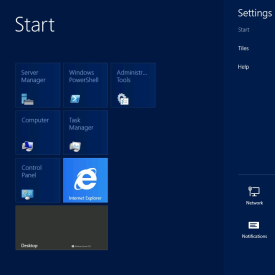
I have an old Acer Aspire One D255 with a broken screen that's been doing light server duty.
I've been wanting to try out Microsoft Team Foundation Server for a while so I decided it was time to update the OS from Windows 7 on my little netbook. Here are a few quick tips/suggestions:
1. Make sure you meet the minimum requirements:
You need a 1.4Ghz processor or faster (although this isn't usually enforced), at least 512 meg of Ram and 64 bit compatible CPU. All Intel Atom processors are 64 bit capable but ONLY if the bios and chipset support it. And you probably really want at least 1 gig of Ram, I had a spare 2gig stick for my Aspire One and it runs quite well.
2. Pick your flavour of Windows 2012 Server:
If you don't already know which version you want, you probably want to install Server Essentials. It's the friendliest version and doesn't require an IT team to get it up and running. If you're using really low end hardware you might have better luck with Foundation but I haven't personally put this to the test.
3. Get a physical network connection ready:
Server 2012 requires Internet access to finish the installation and WiFi support is an installable option AFTER Sever is installed (see below). In summary - you need an Ethernet cable plugged in.
4. Get a spare 8gig+ USB stick:
Assuming you're getting Windows Server through MSDN or some other partner program (we're currently using Action Pack) you'll be downloading an .IMG file. For some reason Microsoft is now re-naming their ISO files to IMG; if you have a USB burning tool that only accepts ISOs you can simply rename the downloaded image to .ISO. I used a Verbatim 8gig USB stick and the Windows 7 USB DVD Download Tool (yes it does write to USB).
http://www.microsoftstore.com/store/msstore/html/pbPage.Help_Win7_usbdvd_dwnTool
5. Enable WiFi after installation:
Go to the Control Panel, and click on "Turn Features on and Off" under "Programs". Click on "Server Selection" to select your new server, and then "Features". Scroll down and enable "Wireless LAN Service".
Other Notes:
The installation reboots quite a few times, and if appears to be doing the same steps over and over again: just be patient.
The total installation time was about 90 minutes on my netbook using 2Gig of Ram and the stock 160gig hard drive.
If you're not familiar with Windows 8 keyboard shortcuts you should learn them. Besides the obvious Windows Key and Alt-Tab, my favorite is Windows+X when in the desktop. It brings up a quick "power menu".
http://www.redmondpie.com/this-extensive-list-of-windows-8-keyboard-shortcuts-will-help-you-adapt-to-the-new-interface/
Thursday, November 1, 2012
File downloading and handling in Windows 8 Store Apps C# (RT)
With every new Microsoft platform comes a slightly different way to handle downloading and streaming files and Windows 8 is no exception.
I had to do a bit of research to figure out how to download and break open files so I thought I'd share my findings.
Downloading files to the local Storage:
//the location of the file to download
string myURL = "http://www.somesite.com/filetoget.txt";
HttpClient client = new HttpClient { MaxResponseContentBufferSize = 100000 };
byte[] myData = await client.GetByteArrayAsync(myURL);
var localFolder = Windows.Storage.ApplicationData.Current.localFolder;
Storage file = await localFolder.CreateFileAsync("myfile.txt");
await FileIO.WriteBytesAsync(file, myData);
Reading a text from Local Storage:
var localFolder = Windows.Storage.ApplicationData.Current.LocalFolder;
StorageFile file = await localFolder.GetFileAsync("myfile.txt");
string contents = await FileIO.ReadTextAsync(file);
Feel free to place questions in the comments
Cheers!
More Info:
http://msdn.microsoft.com/en-us/library/windows/apps/xaml/Hh758325(v=win.10).aspx
I had to do a bit of research to figure out how to download and break open files so I thought I'd share my findings.
Downloading files to the local Storage:
//the location of the file to download
string myURL = "http://www.somesite.com/filetoget.txt";
HttpClient client = new HttpClient { MaxResponseContentBufferSize = 100000 };
byte[] myData = await client.GetByteArrayAsync(myURL);
var localFolder = Windows.Storage.ApplicationData.Current.localFolder;
Storage file = await localFolder.CreateFileAsync("myfile.txt");
await FileIO.WriteBytesAsync(file, myData);
Reading a text from Local Storage:
var localFolder = Windows.Storage.ApplicationData.Current.LocalFolder;
StorageFile file = await localFolder.GetFileAsync("myfile.txt");
string contents = await FileIO.ReadTextAsync(file);
Feel free to place questions in the comments
Cheers!
More Info:
http://msdn.microsoft.com/en-us/library/windows/apps/xaml/Hh758325(v=win.10).aspx
Thursday, August 30, 2012
Quick Tips for Re-installing Windows
This isn't a guide as much as bit of useful information if/when you need to fix your Windows 7 installation.
First - if you can't find your Microsoft product key(s), ProduKey is great product for extracting the keys from your system. This should work for most Microsoft products: http://www.nirsoft.net/utils/product_cd_key_viewer.html
Second - if you can't find your Windows DVD and you need to burn a new one, here's a mostly legal list of downloads:
http://www.mydigitallife.info/download-windows-7-iso-official-32-bit-and-64-bit-direct-download-links/
The last thing I'll mention, you can do an "upgrade" install overtop of any Windows 7 version with the same version. This will "freshen" Windows while leaving all of your programs installed and documents in place.
I'd still recommend a backup before starting anything.
First - if you can't find your Microsoft product key(s), ProduKey is great product for extracting the keys from your system. This should work for most Microsoft products: http://www.nirsoft.net/utils/product_cd_key_viewer.html
Second - if you can't find your Windows DVD and you need to burn a new one, here's a mostly legal list of downloads:
http://www.mydigitallife.info/download-windows-7-iso-official-32-bit-and-64-bit-direct-download-links/
The last thing I'll mention, you can do an "upgrade" install overtop of any Windows 7 version with the same version. This will "freshen" Windows while leaving all of your programs installed and documents in place.
I'd still recommend a backup before starting anything.
Tuesday, June 26, 2012
MonoDevelop 3.0 log files filing hard rive in OSX Lion
I've hit this issue a couple of times recently so I thought I'd share what I've discovered.
I've been using MonoTouch on my Mac Mini running OSX Lion (10.7.4) and I've ran out of disk space on my primary harddrive twice.
After a little research it appears that MonoDevelop is writing massive corrupted log files. I haven't figured out how to stop the problem but the quick fix to free up your disk space is to:
Open Finder
Go to (your harddrive\Users\(your username)\Library\Logs
Delete the MonoDevelop-3.0 folder. You may also want to delete log files for previous versions of MonoDevelop - this can all be done safely.
This morning I had two files over 25gig wasting space.
If I find a solution to stop the log files being created I'll update this post. Strangely this is only happening on one of our three primary developement machines so it might be related to another issue.
I've been using MonoTouch on my Mac Mini running OSX Lion (10.7.4) and I've ran out of disk space on my primary harddrive twice.
After a little research it appears that MonoDevelop is writing massive corrupted log files. I haven't figured out how to stop the problem but the quick fix to free up your disk space is to:
Open Finder
Go to (your harddrive\Users\(your username)\Library\Logs
Delete the MonoDevelop-3.0 folder. You may also want to delete log files for previous versions of MonoDevelop - this can all be done safely.
This morning I had two files over 25gig wasting space.
If I find a solution to stop the log files being created I'll update this post. Strangely this is only happening on one of our three primary developement machines so it might be related to another issue.
Tuesday, June 19, 2012
iPhone/iPad Calc Pro manual now available through iBooks
Just a quick note for Calc Pro users, you can now download the updated manual free of charge on your iPad.
If you find it useful please take a minute and give it a rating as well.
Additionally, if you're looking for a PDF version, you can send an e-mail to support@panoramicsoft.com to get a download link.
 http://itunes.apple.com/us/book/how-to-use-calc-pro/id522783170?mt=11
If you find it useful please take a minute and give it a rating as well.
Additionally, if you're looking for a PDF version, you can send an e-mail to support@panoramicsoft.com to get a download link.
iOS (iPhone/iPad) icon sizes and names explained
So each device type/size combination should have 2 icons:
the Application icon
the Spotlight/Settings icon
Additionally you should have an iTunesArtwork File but its not required. Technically the only "required" icon is the Application icon.
Original iPhone/3/3s/iPod Touch icon sizes and names:
Icon.png (57x57)
Icon-Small.png (29x29)
For Retina icons for the iPhones & iPods we double the resolution in both directions and add "@2x" to the name
Icon@2x.png(114x114)
Icon-Small@2x.png (58x58)
For the iPad 1 & 2 we need the same icons but they have different naming requirements
Icon-72.png (72x72)
Icon-Small-50.png (50x50)
And again, for the new retina iPad we need to make "@2x" versions so
Icon-72@2x.png (144x144)
Icon-Small-50@2x.png (100x100)
So, for a complete universal app that supports all screen sizes you want to create:
Icon-Small.png (29x29)
Icon-Small-50.png (50x50)
Icon.png (57x57)
Icon-Small@2x.png (58x58)
Icon-72.png (72x72)
Icon-Small-50@2x.png (100x100)
Icon@2x.png (114x114)
Icon-72@2x.png (144x144)
Additionally you'll probably want to make the iTunes Artwork icons
iTunesArtwork.png (512x512)
iTunesArtwork@2x.png (1024x1024)
the Application icon
the Spotlight/Settings icon
Additionally you should have an iTunesArtwork File but its not required. Technically the only "required" icon is the Application icon.
Original iPhone/3/3s/iPod Touch icon sizes and names:
Icon.png (57x57)
Icon-Small.png (29x29)
For Retina icons for the iPhones & iPods we double the resolution in both directions and add "@2x" to the name
Icon@2x.png(114x114)
Icon-Small@2x.png (58x58)
For the iPad 1 & 2 we need the same icons but they have different naming requirements
Icon-72.png (72x72)
Icon-Small-50.png (50x50)
And again, for the new retina iPad we need to make "@2x" versions so
Icon-72@2x.png (144x144)
Icon-Small-50@2x.png (100x100)
So, for a complete universal app that supports all screen sizes you want to create:
Icon-Small.png (29x29)
Icon-Small-50.png (50x50)
Icon.png (57x57)
Icon-Small@2x.png (58x58)
Icon-72.png (72x72)
Icon-Small-50@2x.png (100x100)
Icon@2x.png (114x114)
Icon-72@2x.png (144x144)
Additionally you'll probably want to make the iTunes Artwork icons
iTunesArtwork.png (512x512)
iTunesArtwork@2x.png (1024x1024)
Subscribe to:
Posts (Atom)