I am still posting but I've been recently focused on my more developer-centric blog The Methodology.
If C# programming is your thing ( isn't it everyone's? ) head on over. I'll be writing about .NET, XAML, Windows 8, Xamarin.iOS & Xamarin.Android.
http://themethodology.blogspot.ca/
I've got some new content coming for this side of things as well.
Cheers!
Wednesday, January 29, 2014


Saturday, November 3, 2012
5 Tips for Installing Windows 2012 Server on a Netbook
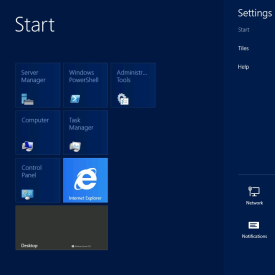
I have an old Acer Aspire One D255 with a broken screen that's been doing light server duty.
I've been wanting to try out Microsoft Team Foundation Server for a while so I decided it was time to update the OS from Windows 7 on my little netbook. Here are a few quick tips/suggestions:
1. Make sure you meet the minimum requirements:
You need a 1.4Ghz processor or faster (although this isn't usually enforced), at least 512 meg of Ram and 64 bit compatible CPU. All Intel Atom processors are 64 bit capable but ONLY if the bios and chipset support it. And you probably really want at least 1 gig of Ram, I had a spare 2gig stick for my Aspire One and it runs quite well.
2. Pick your flavour of Windows 2012 Server:
If you don't already know which version you want, you probably want to install Server Essentials. It's the friendliest version and doesn't require an IT team to get it up and running. If you're using really low end hardware you might have better luck with Foundation but I haven't personally put this to the test.
3. Get a physical network connection ready:
Server 2012 requires Internet access to finish the installation and WiFi support is an installable option AFTER Sever is installed (see below). In summary - you need an Ethernet cable plugged in.
4. Get a spare 8gig+ USB stick:
Assuming you're getting Windows Server through MSDN or some other partner program (we're currently using Action Pack) you'll be downloading an .IMG file. For some reason Microsoft is now re-naming their ISO files to IMG; if you have a USB burning tool that only accepts ISOs you can simply rename the downloaded image to .ISO. I used a Verbatim 8gig USB stick and the Windows 7 USB DVD Download Tool (yes it does write to USB).
http://www.microsoftstore.com/store/msstore/html/pbPage.Help_Win7_usbdvd_dwnTool
5. Enable WiFi after installation:
Go to the Control Panel, and click on "Turn Features on and Off" under "Programs". Click on "Server Selection" to select your new server, and then "Features". Scroll down and enable "Wireless LAN Service".
Other Notes:
The installation reboots quite a few times, and if appears to be doing the same steps over and over again: just be patient.
The total installation time was about 90 minutes on my netbook using 2Gig of Ram and the stock 160gig hard drive.
If you're not familiar with Windows 8 keyboard shortcuts you should learn them. Besides the obvious Windows Key and Alt-Tab, my favorite is Windows+X when in the desktop. It brings up a quick "power menu".
http://www.redmondpie.com/this-extensive-list-of-windows-8-keyboard-shortcuts-will-help-you-adapt-to-the-new-interface/
Thursday, November 1, 2012
File downloading and handling in Windows 8 Store Apps C# (RT)
With every new Microsoft platform comes a slightly different way to handle downloading and streaming files and Windows 8 is no exception.
I had to do a bit of research to figure out how to download and break open files so I thought I'd share my findings.
Downloading files to the local Storage:
//the location of the file to download
string myURL = "http://www.somesite.com/filetoget.txt";
HttpClient client = new HttpClient { MaxResponseContentBufferSize = 100000 };
byte[] myData = await client.GetByteArrayAsync(myURL);
var localFolder = Windows.Storage.ApplicationData.Current.localFolder;
Storage file = await localFolder.CreateFileAsync("myfile.txt");
await FileIO.WriteBytesAsync(file, myData);
Reading a text from Local Storage:
var localFolder = Windows.Storage.ApplicationData.Current.LocalFolder;
StorageFile file = await localFolder.GetFileAsync("myfile.txt");
string contents = await FileIO.ReadTextAsync(file);
Feel free to place questions in the comments
Cheers!
More Info:
http://msdn.microsoft.com/en-us/library/windows/apps/xaml/Hh758325(v=win.10).aspx
I had to do a bit of research to figure out how to download and break open files so I thought I'd share my findings.
Downloading files to the local Storage:
//the location of the file to download
string myURL = "http://www.somesite.com/filetoget.txt";
HttpClient client = new HttpClient { MaxResponseContentBufferSize = 100000 };
byte[] myData = await client.GetByteArrayAsync(myURL);
var localFolder = Windows.Storage.ApplicationData.Current.localFolder;
Storage file = await localFolder.CreateFileAsync("myfile.txt");
await FileIO.WriteBytesAsync(file, myData);
Reading a text from Local Storage:
var localFolder = Windows.Storage.ApplicationData.Current.LocalFolder;
StorageFile file = await localFolder.GetFileAsync("myfile.txt");
string contents = await FileIO.ReadTextAsync(file);
Feel free to place questions in the comments
Cheers!
More Info:
http://msdn.microsoft.com/en-us/library/windows/apps/xaml/Hh758325(v=win.10).aspx
Thursday, August 30, 2012
Quick Tips for Re-installing Windows
This isn't a guide as much as bit of useful information if/when you need to fix your Windows 7 installation.
First - if you can't find your Microsoft product key(s), ProduKey is great product for extracting the keys from your system. This should work for most Microsoft products: http://www.nirsoft.net/utils/product_cd_key_viewer.html
Second - if you can't find your Windows DVD and you need to burn a new one, here's a mostly legal list of downloads:
http://www.mydigitallife.info/download-windows-7-iso-official-32-bit-and-64-bit-direct-download-links/
The last thing I'll mention, you can do an "upgrade" install overtop of any Windows 7 version with the same version. This will "freshen" Windows while leaving all of your programs installed and documents in place.
I'd still recommend a backup before starting anything.
First - if you can't find your Microsoft product key(s), ProduKey is great product for extracting the keys from your system. This should work for most Microsoft products: http://www.nirsoft.net/utils/product_cd_key_viewer.html
Second - if you can't find your Windows DVD and you need to burn a new one, here's a mostly legal list of downloads:
http://www.mydigitallife.info/download-windows-7-iso-official-32-bit-and-64-bit-direct-download-links/
The last thing I'll mention, you can do an "upgrade" install overtop of any Windows 7 version with the same version. This will "freshen" Windows while leaving all of your programs installed and documents in place.
I'd still recommend a backup before starting anything.
Tuesday, June 26, 2012
MonoDevelop 3.0 log files filing hard rive in OSX Lion
I've hit this issue a couple of times recently so I thought I'd share what I've discovered.
I've been using MonoTouch on my Mac Mini running OSX Lion (10.7.4) and I've ran out of disk space on my primary harddrive twice.
After a little research it appears that MonoDevelop is writing massive corrupted log files. I haven't figured out how to stop the problem but the quick fix to free up your disk space is to:
Open Finder
Go to (your harddrive\Users\(your username)\Library\Logs
Delete the MonoDevelop-3.0 folder. You may also want to delete log files for previous versions of MonoDevelop - this can all be done safely.
This morning I had two files over 25gig wasting space.
If I find a solution to stop the log files being created I'll update this post. Strangely this is only happening on one of our three primary developement machines so it might be related to another issue.
I've been using MonoTouch on my Mac Mini running OSX Lion (10.7.4) and I've ran out of disk space on my primary harddrive twice.
After a little research it appears that MonoDevelop is writing massive corrupted log files. I haven't figured out how to stop the problem but the quick fix to free up your disk space is to:
Open Finder
Go to (your harddrive\Users\(your username)\Library\Logs
Delete the MonoDevelop-3.0 folder. You may also want to delete log files for previous versions of MonoDevelop - this can all be done safely.
This morning I had two files over 25gig wasting space.
If I find a solution to stop the log files being created I'll update this post. Strangely this is only happening on one of our three primary developement machines so it might be related to another issue.
Tuesday, June 19, 2012
iPhone/iPad Calc Pro manual now available through iBooks
Just a quick note for Calc Pro users, you can now download the updated manual free of charge on your iPad.
If you find it useful please take a minute and give it a rating as well.
Additionally, if you're looking for a PDF version, you can send an e-mail to support@panoramicsoft.com to get a download link.
 http://itunes.apple.com/us/book/how-to-use-calc-pro/id522783170?mt=11
If you find it useful please take a minute and give it a rating as well.
Additionally, if you're looking for a PDF version, you can send an e-mail to support@panoramicsoft.com to get a download link.
iOS (iPhone/iPad) icon sizes and names explained
So each device type/size combination should have 2 icons:
the Application icon
the Spotlight/Settings icon
Additionally you should have an iTunesArtwork File but its not required. Technically the only "required" icon is the Application icon.
Original iPhone/3/3s/iPod Touch icon sizes and names:
Icon.png (57x57)
Icon-Small.png (29x29)
For Retina icons for the iPhones & iPods we double the resolution in both directions and add "@2x" to the name
Icon@2x.png(114x114)
Icon-Small@2x.png (58x58)
For the iPad 1 & 2 we need the same icons but they have different naming requirements
Icon-72.png (72x72)
Icon-Small-50.png (50x50)
And again, for the new retina iPad we need to make "@2x" versions so
Icon-72@2x.png (144x144)
Icon-Small-50@2x.png (100x100)
So, for a complete universal app that supports all screen sizes you want to create:
Icon-Small.png (29x29)
Icon-Small-50.png (50x50)
Icon.png (57x57)
Icon-Small@2x.png (58x58)
Icon-72.png (72x72)
Icon-Small-50@2x.png (100x100)
Icon@2x.png (114x114)
Icon-72@2x.png (144x144)
Additionally you'll probably want to make the iTunes Artwork icons
iTunesArtwork.png (512x512)
iTunesArtwork@2x.png (1024x1024)
the Application icon
the Spotlight/Settings icon
Additionally you should have an iTunesArtwork File but its not required. Technically the only "required" icon is the Application icon.
Original iPhone/3/3s/iPod Touch icon sizes and names:
Icon.png (57x57)
Icon-Small.png (29x29)
For Retina icons for the iPhones & iPods we double the resolution in both directions and add "@2x" to the name
Icon@2x.png(114x114)
Icon-Small@2x.png (58x58)
For the iPad 1 & 2 we need the same icons but they have different naming requirements
Icon-72.png (72x72)
Icon-Small-50.png (50x50)
And again, for the new retina iPad we need to make "@2x" versions so
Icon-72@2x.png (144x144)
Icon-Small-50@2x.png (100x100)
So, for a complete universal app that supports all screen sizes you want to create:
Icon-Small.png (29x29)
Icon-Small-50.png (50x50)
Icon.png (57x57)
Icon-Small@2x.png (58x58)
Icon-72.png (72x72)
Icon-Small-50@2x.png (100x100)
Icon@2x.png (114x114)
Icon-72@2x.png (144x144)
Additionally you'll probably want to make the iTunes Artwork icons
iTunesArtwork.png (512x512)
iTunesArtwork@2x.png (1024x1024)
Saturday, May 26, 2012
Mono for Android Installation problems on Windows 7 with VS 2011 Beta installed
I just recently decided to experiment with Mono for Android (www.xamarin.com). I had no problems installing it on my Mac Mini running Lion but I had no luck with my Windows 7 laptop.
The installation would appear to complete successfully, and I would see the SDK from within MonoDevelop but as soon as I'd try to create a project I would get the pop-up stating "Mono For Android is not Installed."
Additionally, every time I ran the Mono for Android installer it would tell me it wasn't install (but all other prereqs installed correctly).
After several re-installs I noticed devenv.exe for Visual Studio 2011 Beta was constantly running.
So I'll cut to the end, I needed to fully uninstall Visual Studio 2011 Beta, uninstall Mono for Android, and then re-install.
Now everything works great.
For reference I'm running Windows 7 Professional 64, I have Visual Studio 2010 Ultimate installed (thank you Bizspark) and I installed Mono for Android 4.2.2.
Happy coding!

The installation would appear to complete successfully, and I would see the SDK from within MonoDevelop but as soon as I'd try to create a project I would get the pop-up stating "Mono For Android is not Installed."
Additionally, every time I ran the Mono for Android installer it would tell me it wasn't install (but all other prereqs installed correctly).
After several re-installs I noticed devenv.exe for Visual Studio 2011 Beta was constantly running.
So I'll cut to the end, I needed to fully uninstall Visual Studio 2011 Beta, uninstall Mono for Android, and then re-install.
Now everything works great.
For reference I'm running Windows 7 Professional 64, I have Visual Studio 2010 Ultimate installed (thank you Bizspark) and I installed Mono for Android 4.2.2.
Happy coding!

Wednesday, April 18, 2012
Panoramic Calc Pro Manual for iPhone & iPad

The manual for the iOS version of Panoramic Calc Pro has been updated and is available on the Panoramic Software website. You can get the pdf version here: http://www.panoramicsoft.com/iphone/calcpro/CalcPro.php
The manual is current as of version 3.6.6. If you're using the Windows Phone 7 version this document should be about 90% accurate.
Sunday, June 12, 2011
Panoramic Calc Pro 3.5.1 now available for iPhone/iPod Touch
Panoramic Software Inc. has released its first update for the iPhone version of Panoramic Calc Pro.
This version corrects several bugs, drastically improves support for non-english languages and adds some additional unit conversions.
I've been personally using it on my iPhone 3Gs with the device set to French and its been working perfectly.
For more information, screen shots and video you can go here:
http://www.panoramicsoft.com/iphone/calcpro/CalcPro.php
Or head directly to the app store:
http://itunes.apple.com/app/calc-pro-the-top-mobile-calculator/id438580059?mt=8
At the time of writing its still on sale for the introductory price of 99 cents US but it will likely be going to $9.99 soon.
Thursday, June 2, 2011
Panoramic Software Inc. launches Calc Pro 3.5 for iPhone / iPod Touch


Panoramic Software Inc. has just released Calc Pro for the iPhone and iPod Touch - I know a lot of people have been waiting for this.
Its very similar to the Windows Phone 7 version but contains a few improvements - most noticeably is the updated Date and Time calculator which has been redesigned and now shows the moon phase for the from and to dates.
It also of course makes use of the native Apple controls. It's normally $9.99 but its launching at 99 cents so its definitely worth grabbing now.
You can see it on the website here:
Calc Pro HD coming soon for the iPad
Saturday, May 28, 2011
Samsung Focus Unlocked
I recently unlocked my Samsung Focus from Rogers Wireless so I can use it with my pay-as-you-go T-Mobile SIM while travelling in the states.
You can find lots of information on unlocking but since I had such an easy experience I wanted to let others know that I got an unlock code in less than 8 hours from www.Cellunlocker.net and it only cost me $8.
I haven't tried any other services but this one was cheap and simple. They also provide really straight forward instructions.
I was also able to use the t-mobile sim and access data without entering any additional settings. I also came across a forum post the stated a hard-reset was required after unlocking - that definitely wasn't the case for my phone.
Panoramic Software updates Calc Pro and Converter Pro
Panoramic Software Inc. has updated Panoramic Calc Pro to version 3.4.0 ... this is a big update from 3.3.0:
You'll definitely want to update if you're still running an older version.
Converter Pro was also updated to 3.6.0 which has equivalent updates to Calc Pro 3.4.0.
If you're looking to purchase these applications for your Windows Phone 7 device you can find them on the marketplace, in Zune or linked directly from the Panoramic website:
Monday, February 28, 2011
Proud owner of a Samsung Focus
And clearly I like it as it's kept away from my blog.
For those that are curious I bought the Samsung Focus in mid December from the Best Buy in Vancouver, Canada. I'm sure supply is no longer an issue and it should be quite easy to buy them on or off contract North of the boarder.
It seems that its not as easy in the US; Microsoft is addressing that issue by working with Zones.com to provide carrier locked but off contract Windows Phone 7 handsets. It's worth checking out if you're looking for a phone with no strings attached. Be prepared to pay between $500 and $700 depending on the model.
Back on topic - I wanted to write a few quick notes on my impressions of the Samsung Focus after using it for 2 months.
Its a great phone and I wouldn't trade it for anything currently available but there's still a little room for improvement.
What I like:
Amazing, bright 4" OLED screen VERY responsive touch VERY thin VERY light Ability to add additional storage via micro-SD It runs my Windows Phone 7 applications In a sea of smart phones you can still show this one off
What I don't like:
16 bit display - meaning you will see color banding on occasion but its not a big issue Plastic shell - mine has collected a few chips already. Not even close to the durability of an iPhone or even my old Palm Treo Pro Physical buttons are to sensitive. You only have to swipe over them to activate but because they're close to the screen they're often accidentally hit Adding a micro-SD card requires a hard reset
Overall its a great phone and its probably the best Windows Phone 7 device currently available in North America. The Samsung Omnia 7 is nearly an identical phone but I've been told its more durable but unfortunately its only officially available in Europe.
And if you're looking for software head over to www.PanoramicSoft.com. I've fallen behind on reporting releases so here's the catch up - Calc Pro, Converter Pro, Scientific Calc, Guitar Suite, FreeCell, Blackjack and Ultimate Sudoku are all available now and moTweets should be for sale before the end of the week.
For those that are curious I bought the Samsung Focus in mid December from the Best Buy in Vancouver, Canada. I'm sure supply is no longer an issue and it should be quite easy to buy them on or off contract North of the boarder.
It seems that its not as easy in the US; Microsoft is addressing that issue by working with Zones.com to provide carrier locked but off contract Windows Phone 7 handsets. It's worth checking out if you're looking for a phone with no strings attached. Be prepared to pay between $500 and $700 depending on the model.
Back on topic - I wanted to write a few quick notes on my impressions of the Samsung Focus after using it for 2 months.
Its a great phone and I wouldn't trade it for anything currently available but there's still a little room for improvement.
What I like:
What I don't like:
Overall its a great phone and its probably the best Windows Phone 7 device currently available in North America. The Samsung Omnia 7 is nearly an identical phone but I've been told its more durable but unfortunately its only officially available in Europe.
And if you're looking for software head over to www.PanoramicSoft.com. I've fallen behind on reporting releases so here's the catch up - Calc Pro, Converter Pro, Scientific Calc, Guitar Suite, FreeCell, Blackjack and Ultimate Sudoku are all available now and moTweets should be for sale before the end of the week.
Sunday, December 5, 2010
The Samsung Focus is finally available in Vancouver, Canada
I just stopped by my local Futureshop and discovered they finally have the Samsung focus in stock. They received one (1). And they wouldn't sell it to me "off contract" but if you're looking to become a new Rogers Wirelss customer you're in luck.
However I did discover that the BestBuy website is now showing them as in stock at the Cambie store - so it looks like the wait is finally over.
Now the question is - is it worth waiting until boxing day to see if they'll offer any discounts? FYI - the Focus retails for $499 US so we're definitely over paying north of the border.
Strangely, the HTC Surround is actually $50 less in Canada. This might be the one and only time I wish I was a Telus customer.
However I did discover that the BestBuy website is now showing them as in stock at the Cambie store - so it looks like the wait is finally over.
Now the question is - is it worth waiting until boxing day to see if they'll offer any discounts? FYI - the Focus retails for $499 US so we're definitely over paying north of the border.
Strangely, the HTC Surround is actually $50 less in Canada. This might be the one and only time I wish I was a Telus customer.
Wednesday, December 1, 2010
Continuing the search for a Windows Phone 7 device
After reading several reviews and first impressions of the retail Windows Phone 7 handsets I decided that I wanted to get my hands of a couple of the devices before shelling out $500 for a new phone.
Yesterday (being the last day of December) I decided to check in again with Future Shop, Best Buy and a Rogers Wireless retail store to see if anyone had any stock of the Samsung focus in Vancouver - still nothing. I did notice that Futureshop is now selling the LG Quantum with a slide out keyboard for Bell customers. Its a start but it still doesn't help me.
Today I took a trip down to Redmond to see if could get my hands on a phone south of the border. The Microsoft retail store in Bellevue Square is currently selling 5 phones for various carriers - and all of them are turned on and setup for display.
Samsung Focus: Thin, light and responsive. The color accuracy and brightness seems a little off but that could have been from the overly bright lights in the MS Store
LG Quantum: Looks like a good device but I'd like a larger screen and I'd prefer a thinner phone without a slide out keyboard. The display and responsiveness seemed good.
HTC Surround: I've used one of these devices before and its good (although a little thick) but I do notice just a bit of ghosting when scrolling through menus.
HTC HD7: A beautiful and thin device but substantially heavier than the Focus (its closest competitor feature-wise). I also has VERY vi sable ghosting on scrolling text, so much that I wouldn't buy the device which is unfortunate because it was my favorite of the phones on paper.
Dell Venue Pro: Another good phone but the weight and thickness make it uninteresting and I personally don't like the bottom slide out keyboard. The keys are smaller than the onscreen keyboard so I don't see the need for it.
After deciding that the phone I wanted to buy was the Samsung Focus I quickly discovered that the Microsoft store doesn't sell any phones unlocked nor will they provide any assistance with unlocking the phone. I was told that if I used AT&T service for 3 months they would then provide an unlock code.
I walked over to the AT&T retail store to see if I could get a different answer and they claimed complete ignorance and simply stated they don't sell unlocked phones.
It also looks like expansys.ca is no longer selling the Samsung Focus so I think my next step is to try ordering one online from Rogers.com for the inflated price of $599.99 Canadian ...
Yesterday (being the last day of December) I decided to check in again with Future Shop, Best Buy and a Rogers Wireless retail store to see if anyone had any stock of the Samsung focus in Vancouver - still nothing. I did notice that Futureshop is now selling the LG Quantum with a slide out keyboard for Bell customers. Its a start but it still doesn't help me.
Today I took a trip down to Redmond to see if could get my hands on a phone south of the border. The Microsoft retail store in Bellevue Square is currently selling 5 phones for various carriers - and all of them are turned on and setup for display.
Samsung Focus: Thin, light and responsive. The color accuracy and brightness seems a little off but that could have been from the overly bright lights in the MS Store
LG Quantum: Looks like a good device but I'd like a larger screen and I'd prefer a thinner phone without a slide out keyboard. The display and responsiveness seemed good.
HTC Surround: I've used one of these devices before and its good (although a little thick) but I do notice just a bit of ghosting when scrolling through menus.
HTC HD7: A beautiful and thin device but substantially heavier than the Focus (its closest competitor feature-wise). I also has VERY vi sable ghosting on scrolling text, so much that I wouldn't buy the device which is unfortunate because it was my favorite of the phones on paper.
Dell Venue Pro: Another good phone but the weight and thickness make it uninteresting and I personally don't like the bottom slide out keyboard. The keys are smaller than the onscreen keyboard so I don't see the need for it.
After deciding that the phone I wanted to buy was the Samsung Focus I quickly discovered that the Microsoft store doesn't sell any phones unlocked nor will they provide any assistance with unlocking the phone. I was told that if I used AT&T service for 3 months they would then provide an unlock code.
I walked over to the AT&T retail store to see if I could get a different answer and they claimed complete ignorance and simply stated they don't sell unlocked phones.
It also looks like expansys.ca is no longer selling the Samsung Focus so I think my next step is to try ordering one online from Rogers.com for the inflated price of $599.99 Canadian ...
Tuesday, November 23, 2010
Panoramic Software Windows Phone 7 Applications


Panoramic Software Inc has released several products for the new Microsoft Windows Phone 7.
All the software is fully translated English, French, German, Italian and Spanish (all of the languages the wp7 marketplace currently supports).
Rather than list off all of the features your best bet is to go to the website (or take a look on the Zune Marketplace):
http://www.panoramicsoft.com/mobileproducts.php
The currently released and certified applications so far are:
Calc Pro
Guitar Suite
Ultimate Sudoku
Converter Pro
Scientific Calc
FreeCell and Blackjack are also very close to being ready and there's more coming for Windows Phone 7 before the end of the year.
Saturday, November 20, 2010
Searching for a Samsung Focus in Vancouver, Canada
I've been trying to get my hands on a Samsung Focus for the Rogers network since the Windows Phone 7 launch.
On the first day I called my local Rogers Wireless to see if they had any stock. I was promptly told they wouldn't have any until the end of the month but I could order them online. I tried calling to order one but I was told by the call center that they were only available through the website and not via a live person (no idea why).
So after 3 attempts to order through the website I got tired of seeing the "unable to process credit card" message and I decided to wait.
Last week I saw a Best Buy flyer listing the focus so I promptly headed into the closest location - no luck - although they're advertising they have no stock. I called a second location just to be sure. Best of all, no one seems to know when they'll be in stock.
Just for fun I dropped into Futureshop where I saw a well placed advertisement for the focus on the Rogers Wireless display table but again I was told they wouldn't have them until next week (they hope ... ).
So it looks like Samsung hasn't been able to meet demand which I'm hoping is a reflection on the popularity of the phone and not a production issue.
As soon as I'm able to get my hands on a device I'll post some pictures a quick comparison to a couple of other phones. I've already tried a colleague's HTC Surround and from what I've seen the WP7 phones are worth the wait. I can't wait to upgrade from my Palm Treo Pro.
On the first day I called my local Rogers Wireless to see if they had any stock. I was promptly told they wouldn't have any until the end of the month but I could order them online. I tried calling to order one but I was told by the call center that they were only available through the website and not via a live person (no idea why).
So after 3 attempts to order through the website I got tired of seeing the "unable to process credit card" message and I decided to wait.
Last week I saw a Best Buy flyer listing the focus so I promptly headed into the closest location - no luck - although they're advertising they have no stock. I called a second location just to be sure. Best of all, no one seems to know when they'll be in stock.
Just for fun I dropped into Futureshop where I saw a well placed advertisement for the focus on the Rogers Wireless display table but again I was told they wouldn't have them until next week (they hope ... ).
So it looks like Samsung hasn't been able to meet demand which I'm hoping is a reflection on the popularity of the phone and not a production issue.
As soon as I'm able to get my hands on a device I'll post some pictures a quick comparison to a couple of other phones. I've already tried a colleague's HTC Surround and from what I've seen the WP7 phones are worth the wait. I can't wait to upgrade from my Palm Treo Pro.
Sunday, November 14, 2010
Atom Netbook Processor Comparisons
I started shopping for a netbook PC as a gift and I quickly realized that the price and processor models vary quite a bit without providing any useful information. So here's a quick list of the common Intel netbook processors and their specs:
Atom N270 - 1,6Ghz, single core, 512k cache
Atom N280 - 1.66Ghz, single core, 512k cache
Atom N450 - 1.66Ghz, single core, 512k cache
Atom N455 - 1.66Ghz, single core, 512k cache
Atom N475 - 1.83Ghz, single core, 512k cache
Atom N550 - 1.5Ghz, dual core, 1024k cache
So the simple quick analysis is, the higher the number, the quicker the processor. Even though the 280, 450, & 455 look identical, the underlying chip sets do get progressively better and the higher models with perform slightly better (although I suspect you won't notice).
I would recommend paying a little more if you can move up to an N475 or an N550. If those aren't available I would make my purchasing decision based on other factors (size, price, hard drive size, etc).
The N550 is the best choice as its dual core, but if performance is your main concern I'd suggest looking at either a Core2 Duo processor or a Core i3 which are both available in Ultra Lower Power versions in netbooks. Either one at 1.3Ghz will greatly outperform any of the above mentioned atoms processors.
I personally have an Asus 1810T with a 1.3Ghz Core2 Duo and its more than capable of handling all of my work needs when I travel.
You can checkout Intel's master Atom processor list here:
http://www.intel.com/products/processor/atom/specifications.htm
Atom N270 - 1,6Ghz, single core, 512k cache
Atom N280 - 1.66Ghz, single core, 512k cache
Atom N450 - 1.66Ghz, single core, 512k cache
Atom N455 - 1.66Ghz, single core, 512k cache
Atom N475 - 1.83Ghz, single core, 512k cache
Atom N550 - 1.5Ghz, dual core, 1024k cache
So the simple quick analysis is, the higher the number, the quicker the processor. Even though the 280, 450, & 455 look identical, the underlying chip sets do get progressively better and the higher models with perform slightly better (although I suspect you won't notice).
I would recommend paying a little more if you can move up to an N475 or an N550. If those aren't available I would make my purchasing decision based on other factors (size, price, hard drive size, etc).
The N550 is the best choice as its dual core, but if performance is your main concern I'd suggest looking at either a Core2 Duo processor or a Core i3 which are both available in Ultra Lower Power versions in netbooks. Either one at 1.3Ghz will greatly outperform any of the above mentioned atoms processors.
I personally have an Asus 1810T with a 1.3Ghz Core2 Duo and its more than capable of handling all of my work needs when I travel.
You can checkout Intel's master Atom processor list here:
http://www.intel.com/products/processor/atom/specifications.htm
Monday, July 19, 2010
Windows Phone 7 Development
I just wanted to write a quick post to let any readers know that I haven't stopped updating my blog. I'm currently in the process of learning Silverlight and trying to master C# to prepare for Windows Phone 7 development.
If you read this blog for Windows Mobile software updates, check back soon as there are updates for Panoramic Calc Pro, Guitar Suite, and Ultimate Sudoku in the works.
And for any developers out there, the transition from C++ to C# isn't quite as simple as you may be lead to believe but C# is a great programming lanugage and it will reduce your development time.
Cheers
If you read this blog for Windows Mobile software updates, check back soon as there are updates for Panoramic Calc Pro, Guitar Suite, and Ultimate Sudoku in the works.
And for any developers out there, the transition from C++ to C# isn't quite as simple as you may be lead to believe but C# is a great programming lanugage and it will reduce your development time.
Cheers
Subscribe to:
Posts (Atom)